- Scrolling increases craving for short dopamine bursts
- Autopilot app opening causes most scrolling
- Deleting apps doesn’t remove the scrolling habit
- Brain seeks stimulation, not specific platforms
- Pause-based apps interrupt automatic scrolling
You probably noticed it already. You sit down to focus, but your brain keeps asking for a quick scroll. Doomscrolling trains your mind to expect constant novelty.
Over time, your attention span shrinks. Long tasks start to feel uncomfortable, even boring.
The more you scroll, the more your brain craves short bursts of stimulation. That is why many people start searching for the best apps to stop doomscrolling to try to reverse a pattern.
The good news is your brain is flexible. With the right tools and a bit of awareness, your focus can be rebuilt faster than you expect.
Best Apps to Stop Doomscrolling Without Failing
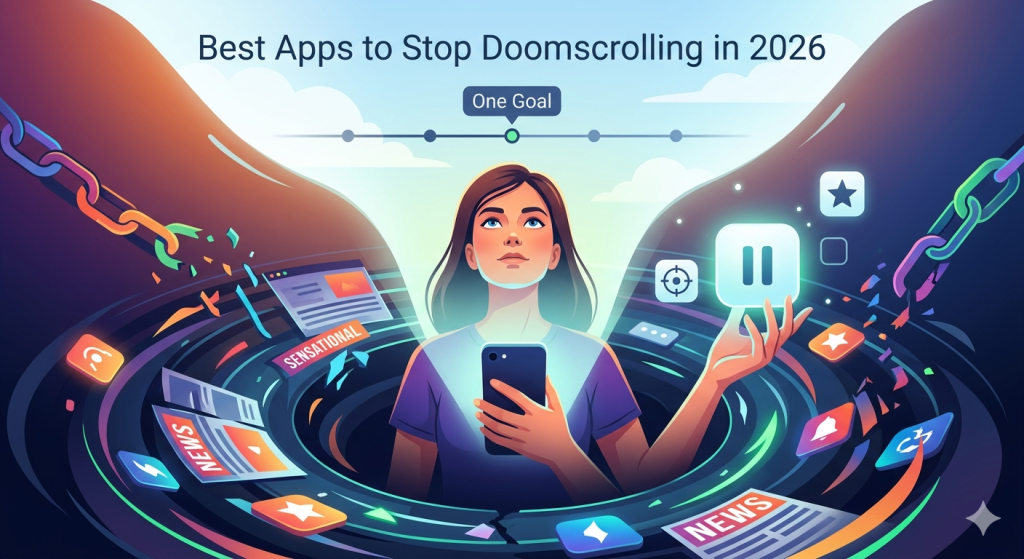
If you have tried to quit scrolling before, you already know the truth. The problem is not your discipline. It is the way your phone is designed. That is why the best apps to stop doomscrolling today focus on solving real behavior problems, not just blocking access.
Let’s start with what is actually going wrong.
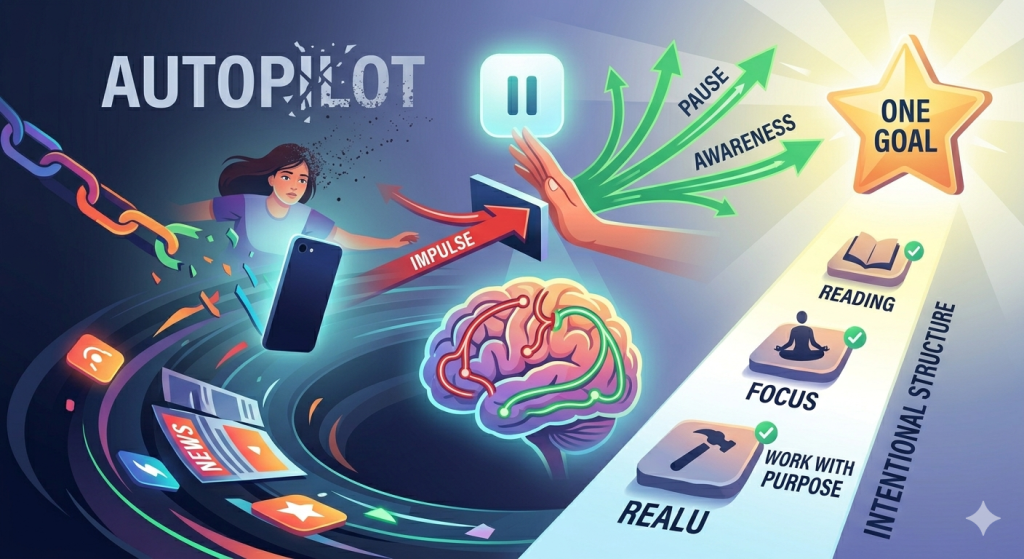
The Real Problem: You Open Apps Without Thinking
Most people do not decide to scroll. It just happens. You unlock your phone, tap an app, and suddenly you are 30 minutes in.
This is called autopilot behavior. Your brain is trained to look for quick stimulation, especially when you feel bored, tired, or overwhelmed.
The issue is not time management. It is the lack of a pause between impulse and action.
The Second Problem: Blocking Doesn’t Fix the Habit
Many people try to fix this by deleting apps or using strict blockers. It sounds logical, but it rarely works long-term.
Why? Because your brain is not attached to one app. It is attached to the feeling of scrolling.
So when you remove one platform, you replace it with another. TikTok becomes Instagram. Instagram becomes YouTube Shorts. The habit stays the same.
That is why aggressive blockers often fail. They remove access, but they do not change behavior.
The Third Problem: Your Brain Craves Stimulation
Scrolling gives your brain constant novelty. Every swipe brings something new, fast, and easy.
Over time, this lowers your tolerance for slower activities. Reading feels harder. Focus feels uncomfortable. Even rest feels boring.
When you try to stop, your brain reacts. You feel restless, distracted, or pulled back to your phone.
This is why many people relapse quickly. It is not a lack of willpower. It is a natural response to overstimulation.
The Fourth Problem: You Don’t Have a Clear Alternative
Another hidden issue is this: what do you do instead?
If you remove scrolling, you are left with a gap. And your brain does not like empty space.
That is why many people go back to their phones. Not because they want to, but because they do not have a clear replacement.
Without direction, your default habit wins.
The Fifth Problem: You Rely on Motivation
Most people think they just need more discipline. But motivation is unreliable.
Some days you feel focused. Other days, you feel tired, distracted, or overwhelmed. That is when habits take over.
If your system depends on willpower, it will eventually break.
What you need instead is a structure that works even when you do not feel like it.
What Actually Works Instead
This is where the best apps to stop doomscrolling app solutions start to make sense. They are not designed to control you. They are designed to support better decisions.
Some apps focus on creating a pause before you open social media. For example, One Sec introduces a short breathing delay that interrupts the impulse instantly.
Others focus on awareness. ScreenZen adds a waiting period and asks if what you are about to do actually matters. That simple question can stop the habit in seconds.
But the most effective tools go one step further. They give you something to return to.
This is where One Goal: Locked In stands out. Instead of just blocking distractions, it helps you focus on one clear priority. That changes everything. When you know exactly what you should be doing, the urge to scroll becomes weaker.
You are not fighting your phone anymore. You are using it with purpose.
Why “Just Deleting Apps” No Longer Works
Deleting apps sounds like the perfect fix. No apps, no scrolling. But in reality, it rarely works long-term.
The problem is not the app itself. It is the habit behind it. Your brain is chasing the feeling of scrolling, not a specific platform. So when you remove one option, it quickly finds another.
You also still need your phone every day. Messages, emails, and quick searches keep pulling you back. This makes it easy to fall into the same pattern again without even noticing.
That is why strict removal often leads to relapse. It does not address the automatic behavior. The best apps to stop doomscrolling focus on awareness instead. They help you notice what you are doing before it turns into another hour lost.
Combining Apps with Simple Environment Changes
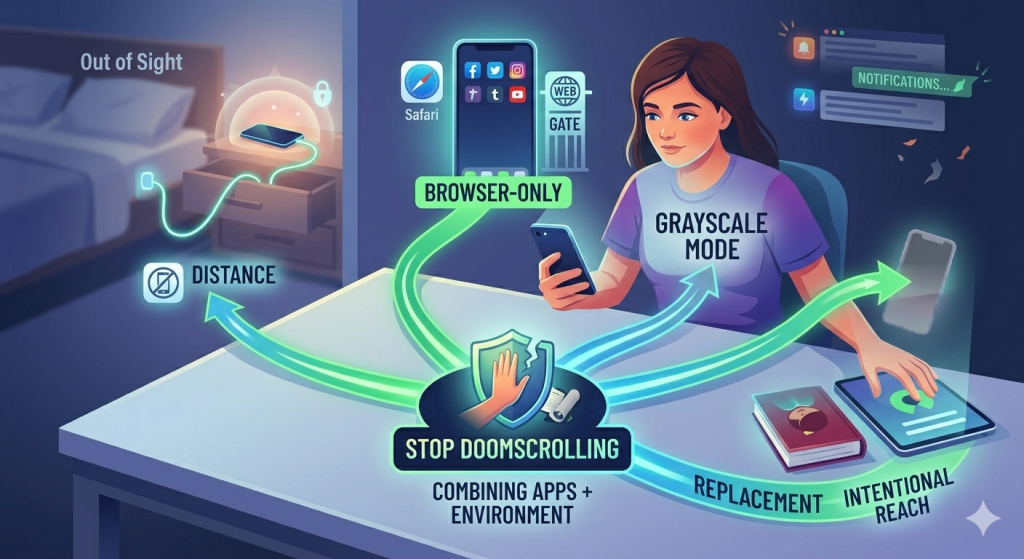
Even the best apps to stop doomscrolling habits will struggle if your environment stays the same. Your phone is always within reach, notifications are constant, and boredom is one tap away. That is why real progress happens when you combine apps with small, practical changes around you.
- Distance. It sounds simple, but it works. Charging your phone in another room removes the temptation to scroll at night or in the morning. When your phone is not next to you, those automatic habits lose power instantly.
- Change how you access social media. Many users follow a “browser-only” rule. Opening apps through Safari feels slower and less addictive. That extra friction makes scrolling less appealing without forcing you to quit completely.
- Make your phone less stimulating. Turning on grayscale mode removes bright colors that keep your brain hooked. Suddenly, scrolling feels dull, and you naturally spend less time on it.
- Replacement. Instead of removing your phone, change what you reach for. Swap social media with something intentional like Libby or Blinkist.
Turning Your Phone Into a “Tool” Again
Instead of being your entertainment center, your phone can become a tool. Something you use with intention, not by default. This is the mindset behind the best apps to stop doomscrolling.
Start with a simple question: “What am I opening my phone for?” If you do not have an answer, that is your signal to stop.
Next, give your phone a clear purpose. This is where apps like One Goal: Locked In make a real difference. Instead of jumping between apps, you focus on one priority. Your phone becomes a support system for that goal, not a distraction from it.
You can also redesign your home screen. Remove social media apps from the first page. Keep only tools that serve you, like notes, calendar, or reading apps. The less visible distractions are, the less likely you are to tap them.
In the end, the best apps to stop doomscrolling are not just about technology. It is about combining tools with smart environment changes. That is what makes the habit finally stick.
FAQs
What is the best learning app to replace doomscrolling?
The best learning app to replace doomscrolling is One Goal: Locked In, which helps you stay focused on one task. They keep your brain engaged without the endless scroll habit.
How to realistically stop doomscrolling?
To realistically stop doomscrolling, don’t rely on willpower. Add friction (pause apps), create a clear goal, and replace scrolling with better habits. Tools like One Goal: Locked In help you stay focused instead of reacting automatically.
How to stop getting addicted to scrolling?
To stop scrolling addiction, break the autopilot loop. Add small delays before apps, reduce triggers, and replace the habit with something intentional.
What is the 10 minute rule to beat procrastination?
The 10-minute rule means starting a task for just 10 minutes. This lowers resistance and builds momentum. Often, you keep going once you begin.
What is the 3-3-3 rule for productivity?
The 3-3-3 rule means focusing on 3 priority tasks, 3 hours of deep work, and 3 small tasks daily. It keeps your day simple and structured.