- Friction helps interrupt unconscious phone use
- Digital blockers create space before opening apps
- Replacement apps can redirect automatic tapping
- Ask why before opening any distracting app
- Simple phone rules help stressed brains focus
You know that weird moment when you unlock your phone for one tiny reason? Then suddenly, Instagram is open. Your thumb just arrived there like it owns the place. This is why learning how to interrupt automatic app opening habits matters.
The problem is not always screen time. Sometimes, it is the speed of the habit. And this is what we are going to talk about in this article.
The Boredom Cue Behind App Checking
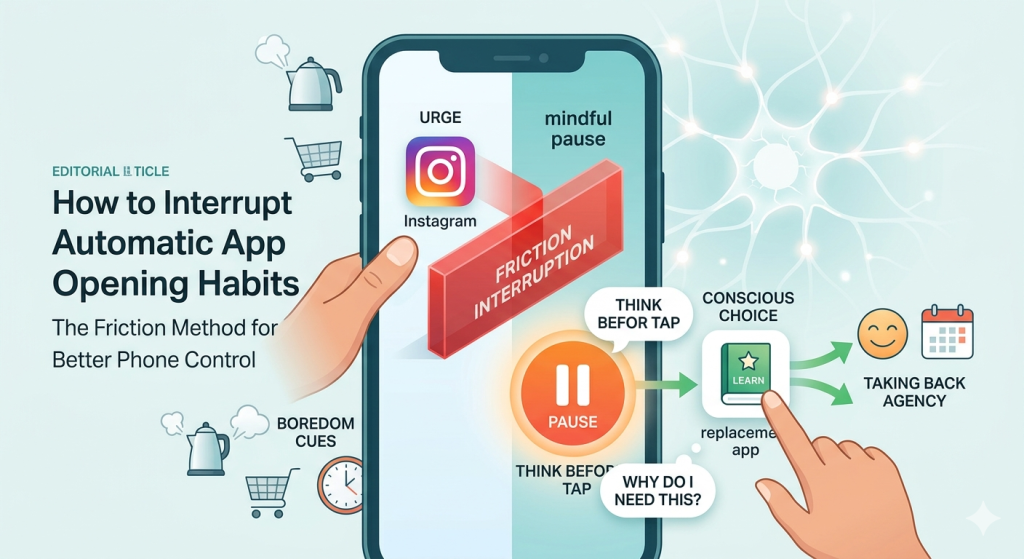
Boredom is one of the biggest triggers behind automatic app checking.
- You wait for the kettle to boil. Tap.
- You stand in line. Tap.
- A webpage loads slowly. Tap.
Your brain has learned that your phone removes silence fast. So, the next time boredom appears, your hand reaches automatically.
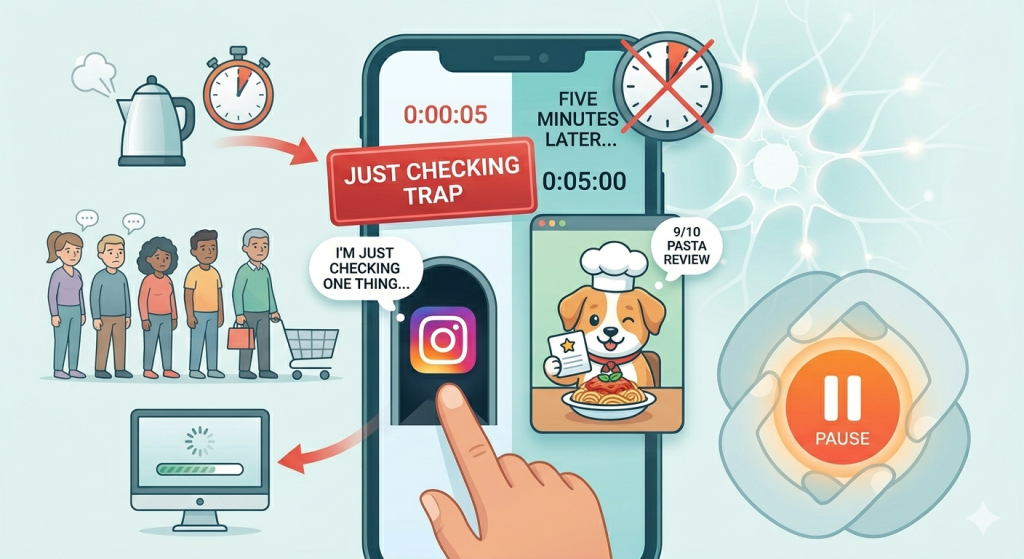
You know the sentence. “I’m just checking one thing.” Then five minutes later, you are watching a dog review pasta. The “just checking” trap works because it gives your brain a tiny excuse. You are not “scrolling.” You are checking.
But many automatic app openings begin exactly there. You unlock your phone for one clear reason. Then your thumb takes a little side quest.
This is why learning how to interrupt automatic app opening habits is so useful. You are not only fighting long scrolling sessions. You are catching the tiny doorway before it opens.
The Friction Method for Better Phone Control
Friction simply means adding a small obstacle between the urge and the app. A pause that makes your brain wake up.
Automatic app opening usually happens during low-control moments. You are bored, tired, anxious, overwhelmed, or avoiding something mildly unpleasant. In those moments, your brain wants fast comfort, and your phone offers it with one tap.
So, instead of asking your tired brain to be heroic, design a better system. Make the distracting app harder to open. Make the helpful option easier to reach.
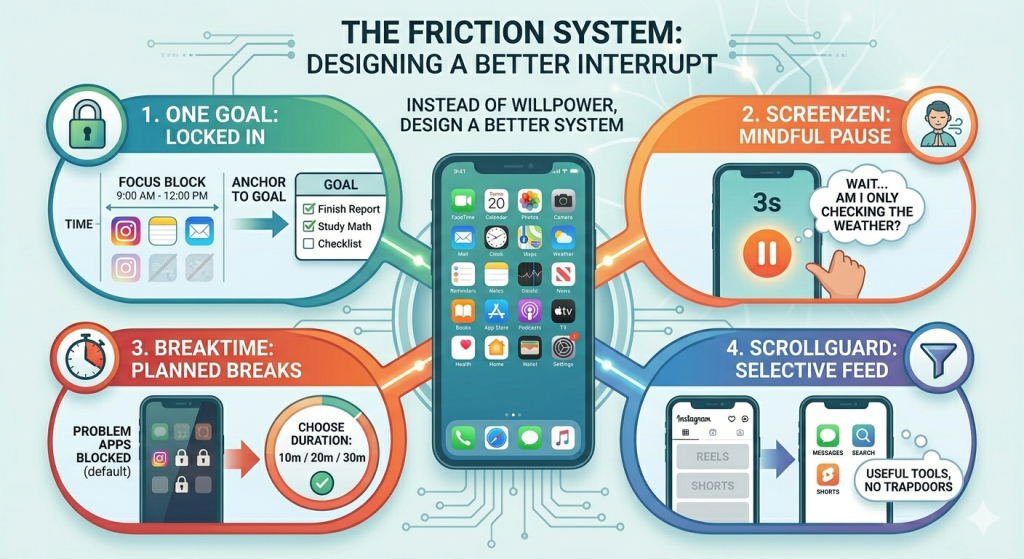
Digital blockers are useful because they do not rely on your mood. They step in when your thumb goes rogue:
1. One Goal: Locked in works well for people who want stronger friction during focus blocks. Instead of letting your phone pull you into micro-switching, it helps anchor you to one clear goal.
This is especially helpful when you are studying, working, or trying to finish something important.
2. ScreenZen is popular because it adds a mindful pause before distracting apps open. You tap the app, then a waiting screen appears. Sometimes you breathe. Sometimes you simply wait.
That little interruption can break the trance. Suddenly, you remember you were only checking the weather.
3. Breaktime takes a stricter approach. Problem apps stay blocked by default. You have to start a planned break before using them.
That changes the whole pattern. You decide before opening the app, not after losing twenty minutes.
4. ScrollGuard is useful when deleting apps is not realistic. Maybe you need Instagram messages or YouTube search. You just do not need endless Reels or Shorts.
Instead of blocking everything, it removes the most addictive feed areas. That makes the app more useful and less trap-like.
You can also use replacement tools like Nibble or FlashCardify. Place them where your distraction app used to live. Then, when your thumb reaches automatically, it lands on a tiny learning habit instead.
Why Constant Checking Steals Agency
Constant checking often feels like normal life with extra tapping. You check one notification. Then you check another app. Then you check if anything changed. Spoiler: usually nothing changed.
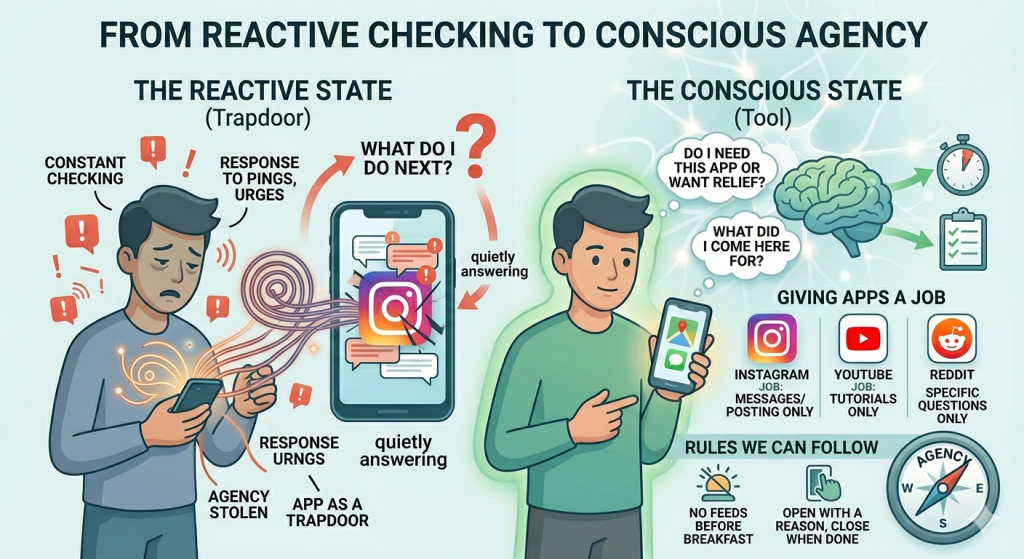
The problem is that every tiny check trains you to be reactive. Your day starts responding to pings, urges, boredom, and random app icons.
You stop asking, “What do I want to do next?” Instead, your phone quietly answers for you. That is how automatic scrolling steals agency.
Learning how to interrupt automatic app opening habits helps you take back that small decision point.
Here is a helpful question: “Do I need this app, or do I want relief?”
Sometimes, you truly need your phone. You need maps, banking, messages, tickets, or your calendar. Other times, your brain just wants a quick escape from discomfort.
Before opening an app, try asking, “What did I come here for?” If you have a clear answer, continue. If the answer is “I don’t know,” that is your clue.
Apps are not automatically bad. Some are useful, creative, social, or genuinely fun. The problem begins when every app becomes a trapdoor.
A tool helps you complete something. A trapdoor pulls you somewhere you did not mean to go.
To turn apps into tools again, give each app a job:
- Instagram can be for messages or posting.
- YouTube can be for tutorials.
- Reddit can be for specific questions.
The clearer the job, the easier it is to notice when the app changes roles.
You can also create rules you can follow, like: “No feed apps before breakfast.” “Social apps only after one task.” “Open with a reason, close when done.”
Conclusion
Learning how to interrupt automatic app opening habits is not about becoming a perfect, phone-free human. It is about giving yourself a pause before your thumb takes over.
Your phone can still be useful, fun, and part of your life. It just does not need to secretly run the show.
Start with one pause, one rule, or one app change today. That small interruption might be exactly what helps you take back control.
People Also Want To Know
What triggers my scrolling habit?
Your scrolling habit is often triggered by boredom, stress, tiredness, awkward pauses, or quick “just checking” moments. Your brain wants fast relief, and your thumb follows automatically.
Is doomscrolling an ADHD thing?
Doomscrolling is not only an ADHD thing, but ADHD can make it harder to stop. Fast content, novelty, and quick rewards can strongly pull attention, especially when you feel bored, tired, or overwhelmed.
What causes you to be addicted to scrolling?
Scrolling addiction is usually caused by boredom, stress, habit loops, and quick dopamine rewards. Infinite feeds make it worse because there is always something new, so your brain keeps chasing the next tiny hit.
What is the 72 hour brain reset?
The 72 hour brain reset is a short break from overstimulating habits, like scrolling, junk content, or constant notifications. The goal is to give your brain space to feel calmer, less reactive, and more focused.