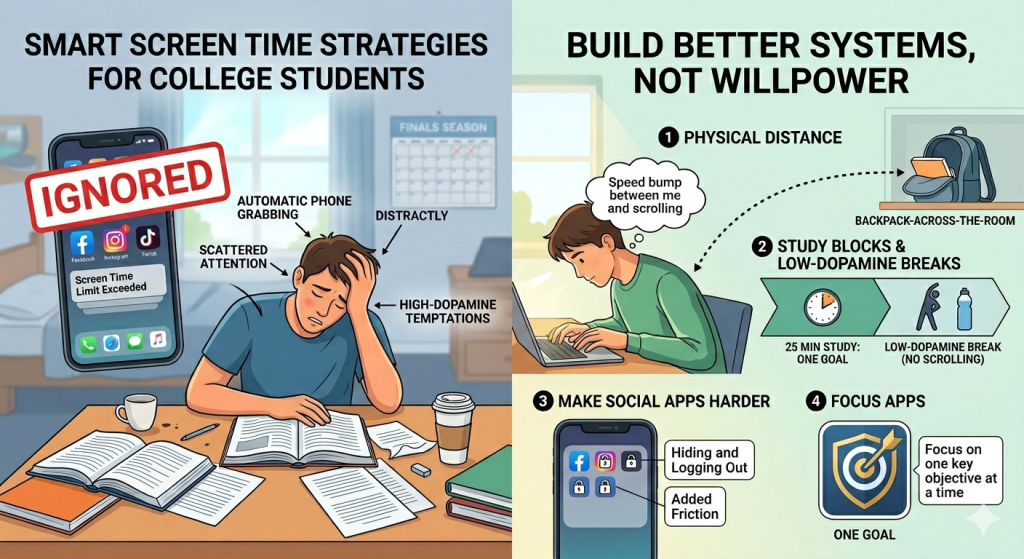
- Physical distance reduces automatic phone grabbing
- Study blocks work better when simple and short
- Low-dopamine breaks help your brain recover properly
- Focus apps add stronger friction during study time
- One clear goal reduces scattered attention
When finals season hits, your brain is already juggling lectures, deadlines, revision notes, caffeine, and mild panic. This is why learning how to reduce screen time for college students cannot be only about “trying harder.” You need fewer temptations around you, and I’ll teach you how to do it.
Best Apps to Reduce Student Screen Time
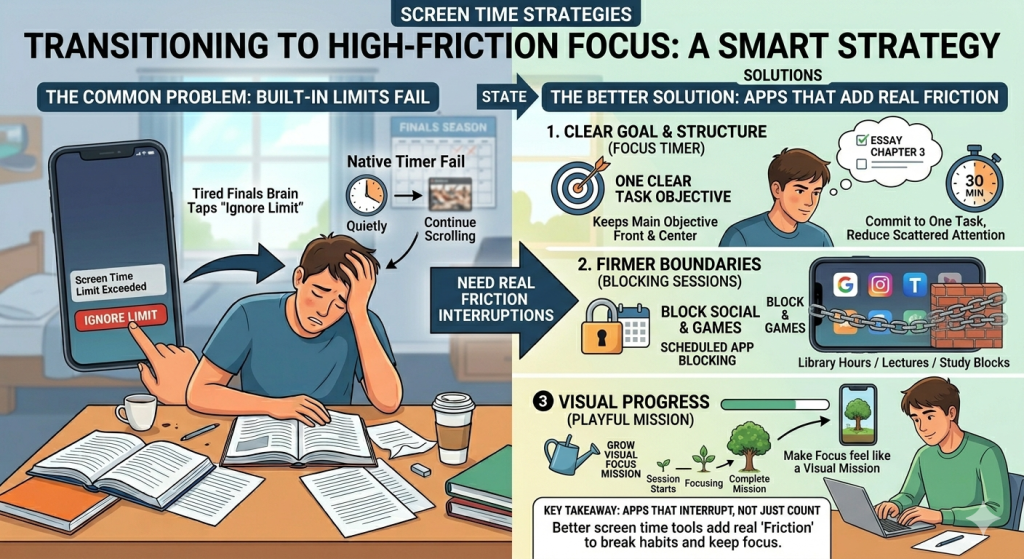
When you are learning how to reduce screen time for college students, your phone’s built-in limits can help. At least, they help until your tired finals brain taps “Ignore Limit” without shame.
Native screen timers are useful for awareness. They tell you that your time is up, then quietly let you continue. That is not ideal when you are avoiding a 2,000-word essay, and TikTok looks emotionally supportive.
The better option is using apps that add real friction. They do not just count your screen time. They interrupt the habit before it becomes another lost hour:
1. One Goal: Locked In is useful when your biggest problem is scattered attention. College life can make every task feel urgent at once.
One Goal helps by keeping your main objective front and center. Instead of juggling everything, you commit to one clear task. That simple structure can reduce the split-second decisions that lead to scrolling.
2. Opal is great when you need firmer boundaries. You can create blocking sessions for specific apps, websites, or time windows.
This helps when you want your phone available, but not dangerously entertaining. For example, you can block social apps during lectures, library hours, or deep study blocks.
3. Forest takes a gentler, more playful approach. You plant a virtual tree and let it grow while you focus. If you leave the session early, your tree dies.
This works well if you like visual progress. A normal timer can feel boring. A growing forest makes focus feel like a tiny mission.
Screen Time Hacks for Busy College Students
When your schedule is packed, reducing screen time can feel like another assignment. But the goal is to make your phone less available during important moments. That is a big part of how to reduce screen time for college students without relying on heroic self-control.
Small hacks work because they interrupt autopilot and create barriers that make scrolling slightly less convenient.
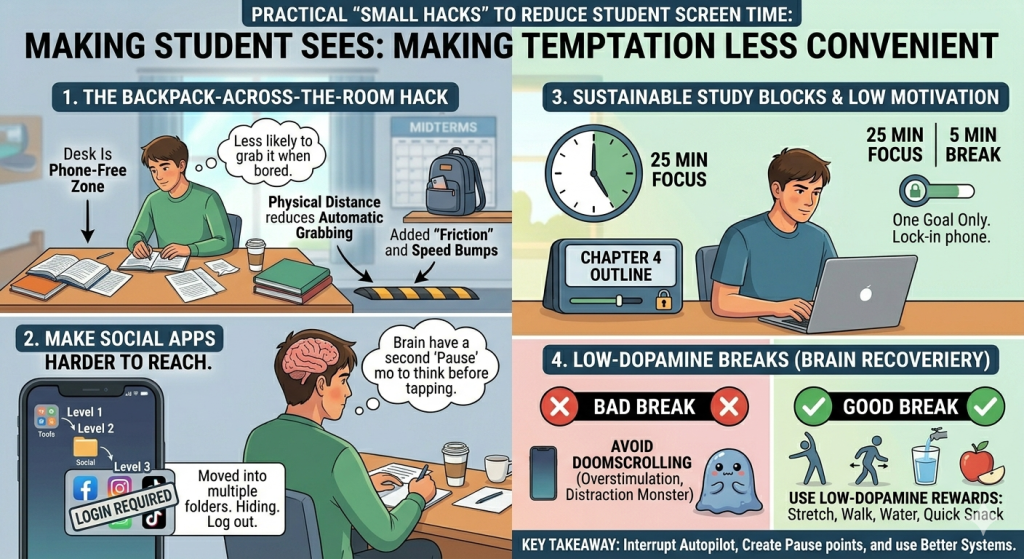
Method no. 1: The Backpack-Across-the-Room
This one is almost annoyingly simple. Put your phone in your backpack, then place the backpack across the room.
This works especially well in the library, dorm room, or study hall. You can still reach your phone if needed. But you are less likely to grab it every time your brain feels bored.
Think of it as adding a small speed bump between you and another accidental scroll marathon.
Method no. 2: Make Social Apps Harder to Reach
Social apps should not live on your home screen during study season. That is like putting snacks on your desk during dinner.
Move them into folders. Hide them from the first screen. Log out after each use. You can even delete them during finals week and use the browser version instead.
When an app opens instantly, your brain does not get time to decide. When it takes extra taps, passwords, or searching, you create a pause.
Method no. 3: Study Blocks That Survive Low Motivation
Build study blocks that work even when you feel flat. Start with 20 or 25 minutes. Choose one task only. Put or lock in your phone before the timer starts.
Do not reward yourself with doomscrolling after every block. That can overstimulate your brain and make studying feel worse.
Try low-dopamine rewards instead. Stretch, refill water, walk outside, or make a snack. You still get a break, but without feeding the distraction monster. Your brain resets, your focus returns, and your phone loses some power.
Conclusion
Learning how to reduce screen time for college students is not about deleting every app, becoming perfectly disciplined, or pretending your phone is not useful. It is about making distraction less automatic.
College life is already full of deadlines, lectures, group chats, essays, and late-night “I’ll start tomorrow” moments. Your brain does not need more guilt. It needs better systems.
The real win is getting your attention back, one study session at a time. Your phone can stay in your life. It just does not need to run the entire campus schedule.
College Students Also Want to Know
How to reduce screen time as a college student?
Reduce screen time as a college student by parking your phone away from your desk, hiding social apps, using short study blocks, taking low-dopamine breaks, and adding focus apps when built-in limits are too easy to ignore.
What is the 30/30/30 rule for screen time?
The 30/30/30 rule means every 30 minutes of screen use, look away for 30 seconds at something 30 feet away. It helps reduce eye strain and gives your brain a tiny reset before you continue.
What are the 5 C’s of screen time?
The 5 C’s of screen time are Child, Content, Calm, Crowding Out, and Communication. They help you judge not just how much screen time you use, but why you use it and what it replaces.
What is the 10 10 10 rule for screen time?
The 10 10 10 rule means every 10 minutes of screen time, look at something 10 feet away for 10 seconds. It helps relax your eyes, reduce screen fatigue, and create small breaks during study sessions.