- Digital Wellbeing is useful but easy to bypass.
- Stronger apps create friction before you start scrolling.
- Android changes make blocker choices more important.
- The best setup depends on your weakest habit.
- Greyscale and boring folders reduce phone temptation. Top of FormBottom of Form
If you are looking for screen time alternatives for Android, you probably already tried Digital Wellbeing. At first, it sounds perfect. You set a timer, your app goes grey, and your future self magically becomes disciplined.
The problem is that Digital Wellbeing often feels more like a polite suggestion than a real boundary. When your timer ends, you can usually change the limit, remove the timer, or find a workaround. And when you are tired, bored, stressed, or avoiding laundry, that workaround becomes very tempting.
If you want lasting change, you may need stronger tools and better habits around your phone. Here’s what you need to know.
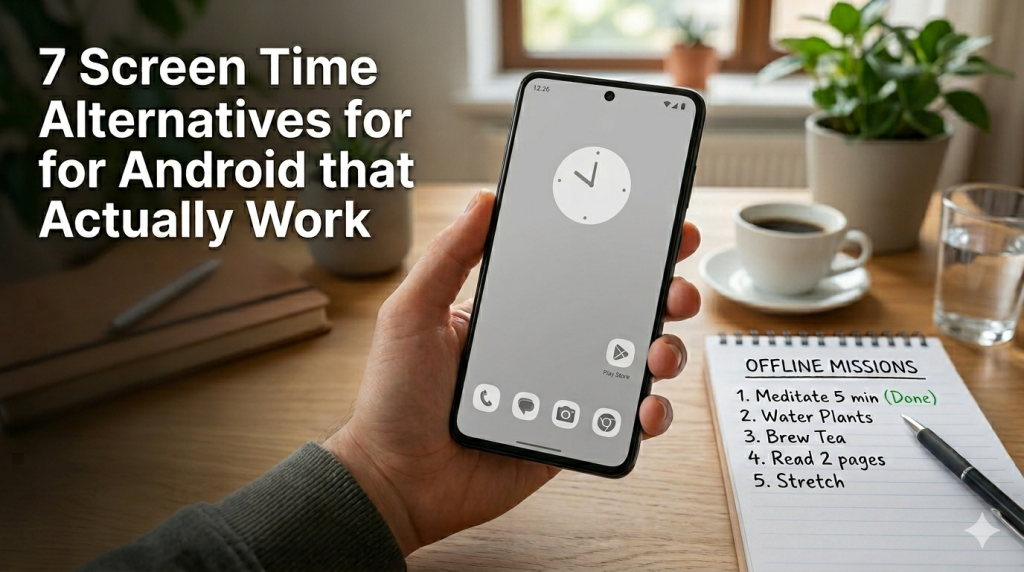
Apps That Add Real Friction
Some of the best screen time alternatives for Android are apps that create friction before you scroll. They do not just count your minutes. They interrupt the habit loop.
Here are 7 apps worth knowing:
1. One Goal: Locked In
One Goal: Locked In is a great choice if you want your phone to remind you what matters. Instead of only blocking distractions, it brings your main goal back into focus. So when you try to open a distracting app, you get a clear nudge back to your priority. It works well for study sessions, work blocks, and moments when your brain wants “just five minutes” of scrolling.
2. ScreenZen
ScreenZen is useful when you need a pause before opening distracting apps. It can add waiting screens, app limits, and website blocks, so scrolling feels less automatic. It is a tool for controlling screen time, blocking apps and websites, and staying focused.
3. StayFree
StayFree is helpful if you want to understand your habits before changing them. It tracks screen time, shows usage patterns, and helps you set limits for apps. Think of it as a mirror for your phone habits, with extra tools to reduce the damage.
4. Digital Detox
Digital Detox is for the moments when soft limits are not enough. It lets you start stricter detox sessions where distracting apps become harder to access. This can help when you want a serious reset, especially during work, study, or sleep hours.
5. Freedom
Freedom is useful if your distractions live across multiple devices. You can block apps and websites, then create focused sessions for work or study. It is especially helpful if your phone is not the only problem.
6. AppBlock
AppBlock is a practical option for scheduled restrictions. You can block specific apps, websites, or notifications during chosen times. It works well if your habits follow a pattern, like scrolling before bed or during work breaks.
7. BeFocussed
BeFocussed is interesting because it targets short-form video habits directly. It focuses on blocking Reels, Shorts, TikTok, and similar content without always blocking the whole app. That makes it useful if you still need apps like Instagram or YouTube, but want to avoid the endless video tunnel.
A good blocker should not feel like punishment. It should feel like a speed bump between you and another accidental scrolling session.
! For stronger results, choose apps that are hard to bypass during focus time.
How 2026 Android Changes Affect Blockers
In 2026, Android feels a bit more complicated than before. On one hand, you still have freedom and flexibility. On the other hand, stricter app rules can make some niche blockers harder to install or trust.
That matters because many people want stronger tools than the default settings. They want apps that block harder, lock longer, or make bypassing annoying enough to stop the impulse.
But as Android becomes more controlled, some indie tools may face extra friction. This can make users feel stuck between two imperfect choices:
- Use the built-in tools that are easy to bypass.
- Search for stronger tools that may be harder to set up.
Still, this does not mean you are doomed to scroll forever. It just means your setup needs to be more intentional. Choose tools that are updated, trusted, and realistic for your habits. If an app sounds powerful but feels impossible to use, you probably will not keep it.
The best tool is the one that works during your weakest moment.
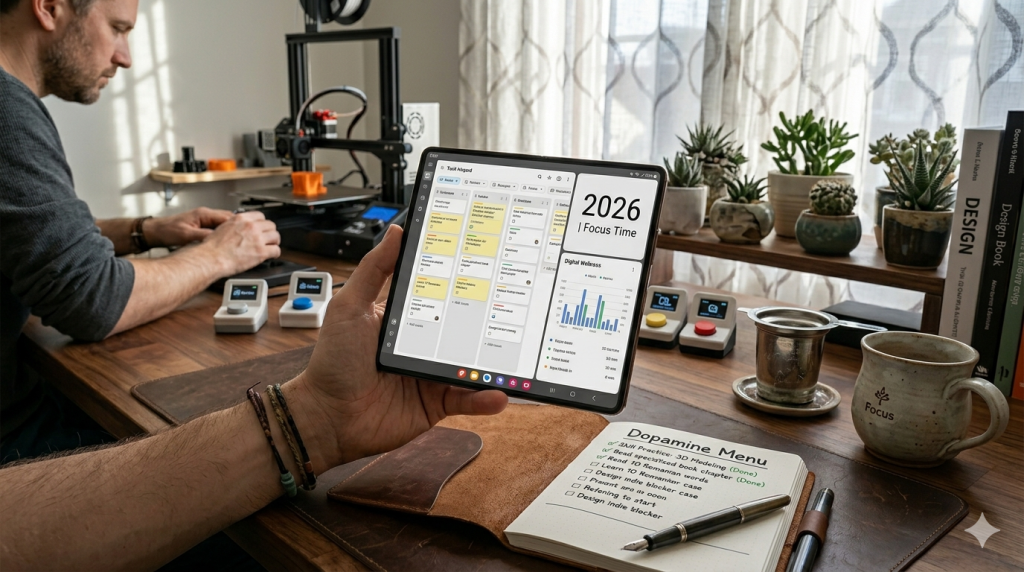
How to Choose Your Best Setup
There is no perfect setup for everyone. The best screen time alternatives for Android depend on your biggest weak spot.
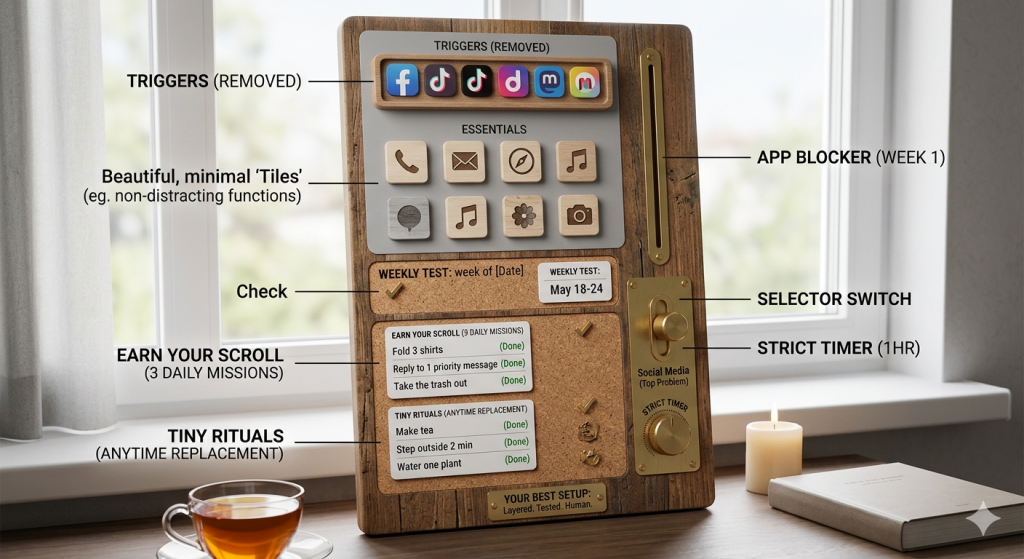
You can build a simple three-layer system.
- First, remove the easiest triggers from your home screen.
- Second, add an app blocker for your worst distractions.
- Third, create a short offline list for replacement habits.
Start with your top two problem apps. Do not try to fix your whole digital life in one dramatic Sunday reset. That usually lasts until Tuesday.
Pick one blocker, one rule, and one offline replacement. Test it for a week. Then adjust it without judging yourself.
Gamifying Your Offline Tasks
If your phone can make everything feel like a game, you can borrow the same trick.
Instead of saying, “I need to stop scrolling,” try creating small offline missions. Your brain likes clear targets. Give it something simple to complete before you unlock entertainment.
For example, before opening social media, finish one tiny task. Put five items away. Drink a glass of water. Reply to one important message. Fold three shirts. Read two pages. Take the trash out.
You can also use the “earn your scroll” rule:
- Choose three offline tasks each morning.
- When one task is done, you can enjoy a short phone break without guilt.
- This makes scrolling feel intentional, not accidental.
Replacing Scrolling With Tiny Rituals
The best screen time alternatives for Android are not always apps. Sometimes, they are rituals that feel easy enough to repeat. So think smaller:
- Make tea.
- Light a candle.
- Step outside for two minutes.
- Water one plant.
- Doodle on paper.
- Listen to one full song without multitasking.
- Walk around the house.
- Do ten slow squats.
- Sit with your coffee without holding your phone.
Now make your phone less tempting, too. Remove social apps from your home screen. Turn off non-essential notifications. Use greyscale mode. Move distracting apps into a boring folder with a boring name.
Conclusion
Finding the best screen time alternatives for Android is not about becoming perfectly disciplined overnight. It is about making your phone a little less tempting and your real life a little easier to choose.
You do not need to delete your whole digital life. You just need enough space between impulse and action to remember what you wanted to do in the first place. Your phone can still be useful, fun, and part of your day. It just does not need to be the boss of it.
People Also Want to Know
Does Android have something similar to screen time?
Yes. Android has Digital Wellbeing, which shows app usage, screen time, unlocks, and notifications. You can also set app timers, Focus Mode, and Bedtime Mode to limit distractions.
What is the best alternative to screen time?
The best alternative to Screen Time is a mix of app blockers and real-life friction. Tools like One Goal: Locked In, ScreenZen, or AppBlock can help, but offline rituals make the habit change stick.
Can you manipulate screen time on Android?
Yes. Android screen time can be manipulated by changing timers, disabling limits, using another device, or uninstalling blockers. That is why stronger tools and real-life friction often work better than basic tracking.
What is the 3 6 9 12 rule for screen time?
The 3 6 9 12 rule means no screens before age 3, no personal gaming device before 6, no internet before 9, and no unsupervised internet before 12. It is mainly used as guidance for children.